Copilot vs Purview: Why Compliance Tools Don’t Equal SharePoint Governance
 titan_admin
January 8, 2026
6 min read
titan_admin
January 8, 2026
6 min read
titan_admin
January 8, 2026
6 min read
titan_admin
January 8, 2026
6 min read
With the rapid enterprise rollout of Microsoft Copilot, including Security Copilot in Microsoft Purview Overview, CIOs and IT administrators are asking urgent questions about data security in SharePoint.
At the same time, Microsoft has heavily promoted Microsoft Purview as the central platform for information protection and governance. The key Microsoft Purview benefits include unified visibility, stronger security, and simplified compliance across enterprise data. Purview for enterprise data compliance helps organizations discover, classify, and protect sensitive information while meeting regulatory requirements. As a trusted Microsoft Purview data governance solution, Titan Workspace guides businesses on how to use Microsoft Purview Data Map effectively and implement proven Microsoft Purview data governance best practices for long-term control and scalability.
This has created a major misconception in the market:
“If we have sensitivity labels enabled through Purview, our SharePoint is automatically safe for Copilot.”
Unfortunately — that is not true.
Copilot introduces a completely new risk model. And while Purview is a powerful compliance system, it was never intended to enforce day-to-day governance discipline inside SharePoint.
This blog explains the critical difference.
Copilot for Microsoft 365 works as an intelligent layer across:
When a user asks Copilot a question, it instantly aggregates information from any content that user is permitted to access.
It does NOT:
It simply surfaces what is available.
That is both its strength and its risk.
Purview’s mission is to provide:
Purview operates primarily at the file protection level.
It helps organizations comply with standards like:
But its scope is:
Protecting documents AFTER they have been created and shared.
| Question | Copilot Focus | Purview Focus |
| What can be accessed? | ✔ | ✔ |
| What should be accessed? | ❌ | ❌ |
| Is this a draft? | ❌ | ❌ |
| Is this outdated? | ❌ | ❌ |
| Who acknowledged this policy? | ❌ | ⚠ |
| Can structure be enforced? | ❌ | ❌ |
This table highlights the core issue:
Neither Copilot nor Purview enforces SharePoint governance behavior.
Let us be fair to Purview. Sensitivity labels are extremely useful.
They can:
For human collaboration, this is excellent protection.
Here is the problem:
If a user has permission to read a file that is labeled “Confidential – Internal,” Copilot can still summarize it for that user.
The label remains intact.
The AI exposure still happens.
Labels do not override permissions.
And Copilot honors permissions, not labels.
A site owner stores a document in SharePoint called:
HR-Layoff-Plan-2025-DRAFT.docx
It is labeled as Highly Confidential.
But:
A manager asks Copilot:
What is the workforce plan for next quarter?
Copilot summarizes the draft plan in seconds.
Result:
Purview did its job.
Governance failed its job.
A sales site contains:
Adapt-Titan-US-Pricing-Exceptions-DRAFT.xlsx
Label: Confidential.
Readable by:
Someone asks Copilot:
“Give me a summary of our discounting strategy.”
Copilot produces insights using that draft pricing file.
The AI answer becomes “truth” — even though business never approved it.
Again:
The tool worked.
The structure failed.
Purview allows you to apply retention policies, but it does not prevent libraries from containing multiple generations of documents.
Imagine a SharePoint site with:
All internal users can read all versions.
A user asks Copilot:
“What is the current supplier policy?”
Copilot merges text from all three.
You get:
No label can fix that.
Only real governance can.
SharePoint oversharing has been a long-standing challenge.
Flat libraries and broad access groups create minimal friction for humans, but AI thrives on low friction.
Typical overshared patterns include:
Copilot surfaces all of them.
That leads to:
Purview can highlight some of this in reports — but cannot prevent it operationally.
To make SharePoint safe and effective with Copilot in 2025+, your platform must deliver the following capabilities:
AI-ready SharePoint requires:
Metadata is the language AI understands best.
Governance must ensure:
Instead of site-wide rules:
Here is where Titan Workspace adds its unique value.
Most enterprises love SharePoint but hate managing it. They want Copilot — but not at the cost of security.
Titan Workspace provides:
All without leaving Microsoft 365.
This combination makes SharePoint:
Replacing SharePoint with external platforms like Dropbox or cloud DMS tools introduces:
Titan Workspace avoids these disadvantages because:
Microsoft Copilot requires a new way of thinking about SharePoint. And while Microsoft Purview is an excellent compliance suite, it is NOT a governance enforcement engine.
So the answer to the market confusion is simple:
Purview ≠ SharePoint Governance
Copilot ≠ Governance
Permissions ≠ Governance
AI safety demands structure, lifecycle, and workflow discipline.
Titan Workspace exists exactly to enforce that discipline natively inside Microsoft 365.
Enterprises that understand this difference will unlock Copilot confidently.
If you are enabling Copilot:
Titan Workspace can make your SharePoint AI-ready in weeks instead of months. Looking for a simpler way to Secure Confidential Files in Microsoft 365? Titan Workspace’s Secure Vault offers enterprise-grade protection for sensitive folders and documents even from tenant admins without the need for Microsoft E5 licenses, Purview, or complex configurations.
If you’re reading this, there’s a good chance one of two things is true. Either your organization already…
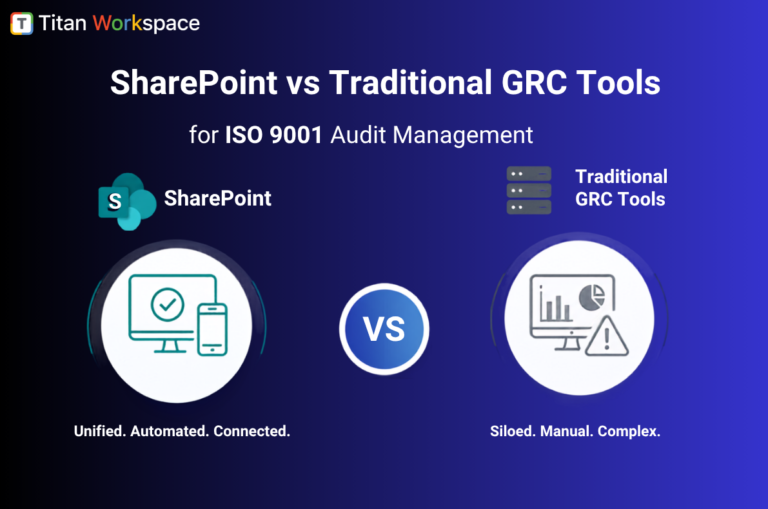
If your organization runs on Microsoft 365 and you’re evaluating audit management software for ISO 9001, you’re standing…
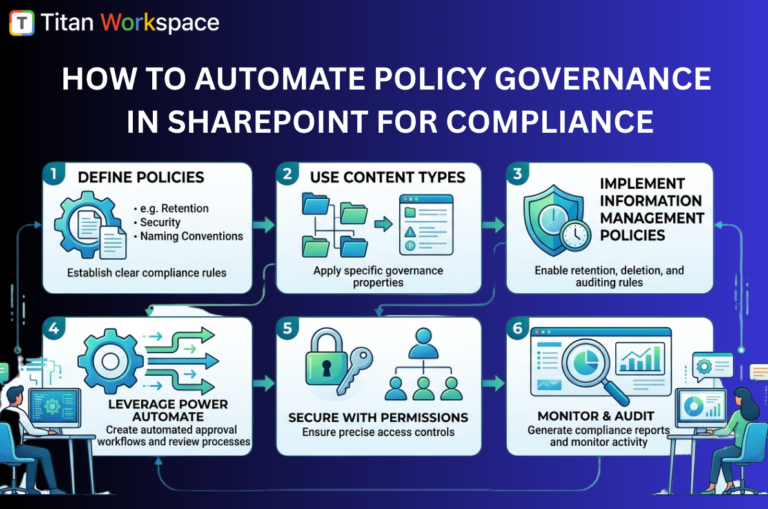
Organizations rely on SharePoint to store, share, and manage critical business information. As data volumes grow, maintaining compliance…